

Is your database always a beat behind? Your applications and users need current information now. Waiting creates friction and missed opportunities.
Older polling methods drain server resources. They force your system to repeatedly check for changes. This introduces lag, leaving your data outdated.
An event-driven architecture fixes this. A specific event triggers a webhook. This webhook then pushes a notification instantly. Your entire system becomes reactive, not passive.
You bridge the gap between storage and apps. This guide provides the expertise to secure your data pipeline. Configuring a webhook optimizes flow for modern demands.
Don’t let inefficient methods slow your business. A proactive solution is ready for you.
Key Takeaways
- Event-driven notifications provide instant data propagation.
- They replace the waste and delay of constant polling.
- Your infrastructure transforms from passive to actively reactive.
- Critical events are captured and communicated immediately.
- This keeps users informed and operational workflows smooth.
- Implementing a robust architecture connects internal databases with external services.
- Mastering this approach secures and streamlines your information flow.
Unlocking Real-Time Data Integration with Webhooks
Data latency can cost your business opportunities and customer trust. The core problem is the outdated “pull” method. Your applications must constantly ask if anything is new.
This creates a reactive lag. A push-based model flips the script entirely.
Understanding the Push vs. Pull Paradigm
Traditional polling forces your system to repeatedly ask for changes. It’s inefficient and slow. A webhook is an event-driven push notification.
When a specific event occurs, a message is sent instantly. Your application doesn’t wait. It just reacts.
| Method | How It Works | Server Load | Data Freshness |
|---|---|---|---|
| Polling | Application repeatedly checks (“pulls”) the source at fixed intervals. | Consistently high, even with no changes. | Stale; limited by the interval frequency. |
| Webhooks | Source sends (“pushes”) a notification the moment a trigger event happens. | Low; only occurs when there is actual activity. | Immediate; information is current. |
Why Real-Time Updates Matter
Immediate actions are now possible. A team gets notified the second a form is submitted. A dashboard refreshes without manual intervention.
This shift minimizes latency for your users. It ensures all connected systems share the same truth. For robust performance, consider the best databases for real-time analytics.
Accurate, up-to-the-minute data drives daily workflows. Can your business afford to wait?
Setting Up Your Webhook Environment Step-by-Step
Configuration mistakes can derail your entire notification pipeline. A correct setup is your first defense against failed delivery. Follow this guide to build a robust foundation.
Preparing Your Account and Tools
Start by securing access to your source platform. For many, this means a Baserow account. You need a modern browser to configure tables and webhook settings.
These tools are your control panel. They let you define which event triggers an action. Proper preparation prevents processing errors later.
Creating a Temporary Testing URL
Never configure a live webhook blindly. Use a service like webhook.site. This free tool generates a unique, temporary endpoint.
It captures every incoming payload for inspection. You can test the structure and content of your data. Verify the system pushes information correctly.
This step confirms your webhooks fire for the right events. It ensures your pipeline is ready for reliable operation.
Mastering using webhooks for real-time database updates
Precision in event selection separates a clean data flow from a noisy one. Your configuration choices dictate the speed and accuracy of your entire system.
Selecting Trigger Events Effectively
You must decide which actions initiate a notification. In Baserow, pick specific triggers like “Rows are created.” This ensures your system sends data only for relevant events.
| Event Strategy | Impact on System | Data Relevance |
|---|---|---|
| Broad Triggers | High volume of notifications, increased processing load. | Low; includes irrelevant information. |
| Specific Triggers | Low, targeted load; efficient delivery. | High; only crucial details are sent. |
Careful selection prevents unnecessary noise. It guarantees that only pertinent updates reach your external application.
Configuring Data Payloads for Seamless Updates
Your payload is the message body. Include critical identifiers like table ID 376000 and workspace ID 31000. This maintains data integrity across services.
Always use the HTTP POST method. It’s the standard for sending event details. A well-structured payload lets your receiving tool parse information automatically.
After your setup, use the “Trigger test webhook” button. This test sends a sample to your URL. You verify the response and confirm the pipeline works.
This step is non-negotiable for reliable delivery.
Integrating Webhooks into Modern Application Workflows
Manual data handoffs between platforms are a bottleneck your business cannot afford. Your workflows demand seamless integration. Disconnected tools create friction and errors.
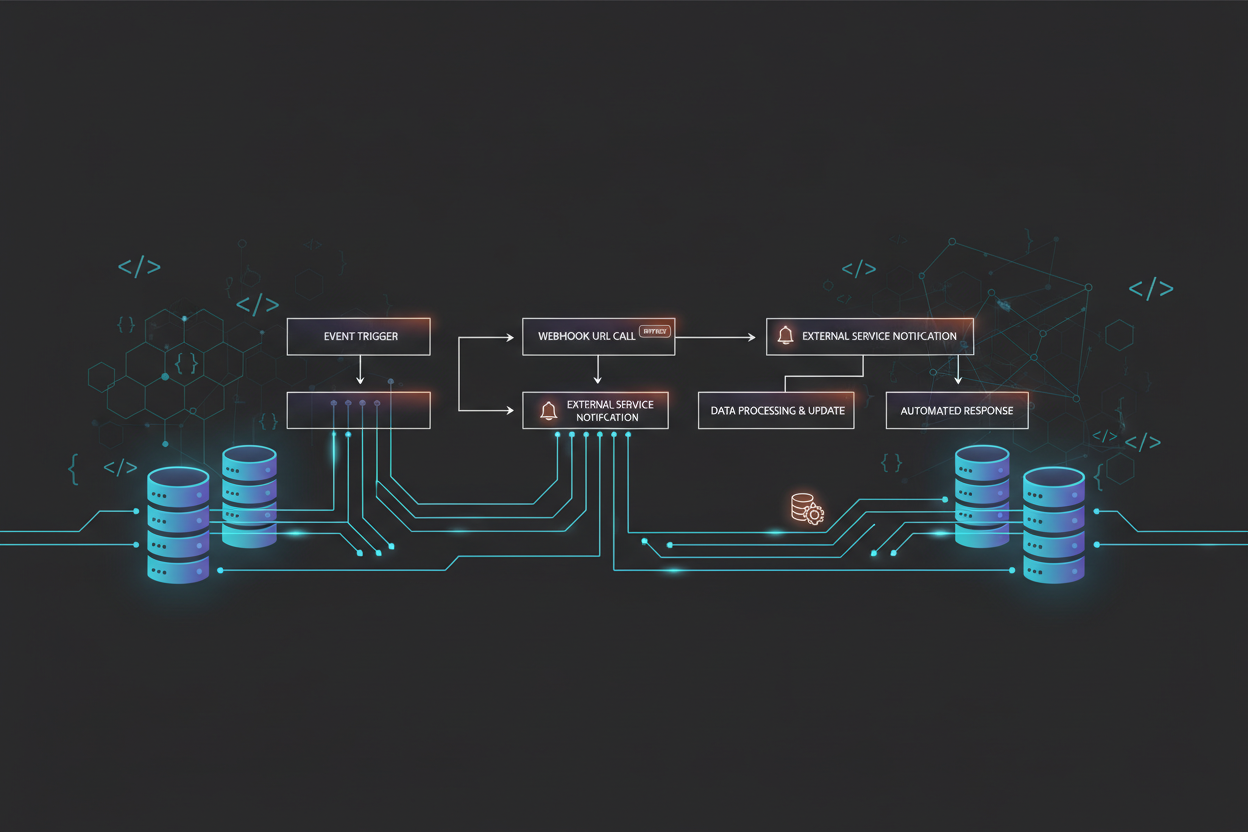
A webhook acts as the glue. It connects your core system to other applications. This enables instant reactions to user actions like a signup or transaction.
Synchronizing Multiple Systems in Real Time
The goal is a unified state across your entire platform. You push data changes to several systems at once. This happens without manual intervention.
| Method | Data Flow | Impact on Workflow |
|---|---|---|
| Manual Sync | Human-driven copy/paste or file uploads. | Slow, error-prone, and impossible to scale. |
| Polling | Apps repeatedly check for new information. | Creates lag and unnecessary load. |
| Webhook-Driven | Instant, event-triggered push notifications. | Enables true real-time business agility. |
You offload heavy processing to asynchronous tasks. This keeps your main application responsive under high requests. Clear communication between your database and each external service is vital.
Constant monitoring ensures delivery. It verifies all parts of your workflows stay in sync. For a secure pipeline, review database firewall configuration. This automation is key for scaling.
Security and Reliable Delivery in Webhook Systems
What happens when a critical notification gets lost in transit? Your operations depend on secure, guaranteed data flow. A robust system addresses both authentication and resilience.
Implementing HMAC Signature Validation
Every incoming request must be verified. Use HMAC-SHA256 validation to create a unique signature. Your receiving application checks this signature against a shared secret.
This confirms the webhook is authentic. It also proves the payload wasn’t altered. This security layer stops malicious actors instantly.
Managing Error Handling with Exponential Backoff
Networks fail. Your system needs a smart retry strategy. Exponential backoff handles temporary errors gracefully.
It waits 1 second, then 2, then 4, then 8 before subsequent retries. This prevents overwhelming the receiving service. Your processing logic stays resilient under pressure.
| Strategy | Core Method | Key Benefit | Implementation Focus |
|---|---|---|---|
| Security Validation | HMAC-SHA256 signature checking | Guarantees request authenticity and integrity | Preventing unauthorized data injection |
| Error Handling | Exponential backoff retry logic | Maintains delivery during network issues | Managing requests to avoid platform load |
Always check the HTTP status code from the receiving URL. A 200 OK means success. A 5xx code triggers your backoff logic.
Constant monitoring of delivery status catches problems early. This protects your business information and keeps notifications flowing.
Optimizing Performance for Scalable Webhook Integration
Can your notification infrastructure keep pace when traffic spikes by 500%? Scalable integration demands more than just basic setup. It requires architectural choices that prevent slowdowns during peak loads.
Your system must process high volumes without lag. This is where advanced performance tuning becomes critical.
Leveraging Connection Pooling and Parallel Processing
Connection pooling reuses existing HTTP connections. It slashes the overhead of your webhook delivery mechanism. This simple change significantly boosts throughput.
Parallel processing takes it further. Deploy 100 concurrent workers. Your platform can then handle over 500 events every second. Stability remains intact even under heavy data flow.
| Optimization Technique | Core Function | Impact on Throughput | Key Consideration |
|---|---|---|---|
| Connection Pooling | Reuses open network connections for multiple requests. | Reduces latency by up to 70%. | Prevents connection fatigue and errors. |
| Parallel Processing | Executes multiple delivery tasks simultaneously. | Enables 500+ events/second. | Requires careful queue management. |
| Queue Monitoring | Constantly watches processing backlogs. | Prevents bottlenecks during traffic spikes. | Essential for proactive system health. |
Constant monitoring of your delivery queues is non-negotiable. It ensures your pipeline absorbs sudden surges.
By optimizing your webhook configuration, you guarantee efficient operation. Massive volumes of information are handled seamlessly.
Use advanced tools to manage delivery status and automatic retries. This keeps your data pipeline healthy. It supports your growing business needs reliably.
Real-World Examples of Webhook Utilization
Beyond the setup, practical use cases demonstrate the transformative effect of reliable, push-based communication. How do leading platforms maintain seamless operations? They rely on instant event-driven notifications.
These examples prove the power of automated data flow. Your business can adopt similar strategies for critical updates.
Case Study: Automating Notifications in Baserow
Baserow shows how simple automation can be. Configure a webhook to fire when a new row is created.
This instantly pushes the new information to an external system. Your team receives a notification without manual checks.
The entire integration happens in moments. It keeps all connected systems perfectly synchronized.
Case Study: Payment Processing and Incident Alerts
Stripe depends on webhooks for critical payment status changes. Your application learns about a success or failure immediately.
This ensures your financial records are always accurate. GitHub uses the same tool to trigger CI/CD pipelines.
Code commits automatically start deployment processing. Your development team monitors changes as they happen.
Reliable delivery is non-negotiable here. Both cases require robust error handling and automatic retries.
Constant monitoring catches errors before they disrupt your workflow. This is how a robust, event-driven architecture operates in the wild.
Wrapping Up Webhook Mastery for Dynamic Data Operations
Mastering event-driven architecture transforms your entire digital ecosystem from passive to proactive.
You now command the essential patterns for a reactive data environment. Implement precise event filtering, secure delivery, and robust monitoring. Your system becomes a reliable participant in critical workflows.
The shift from batch analysis to instant intelligence defines modern platforms. Keep refining your webhook delivery engine. Focus on performance and security for your data processing pipeline.
Your commitment lets your business respond instantly to crucial events. This provides a superior experience for every user. You are ready to build dynamic integrations that define modern software.
For foundational power, pair your setup with the best databases for real-time analytics.