

Over 70% of new applications are built for the cloud—but many still rely on data systems designed for a different era. That mismatch creates real problems. Your apps demand speed and flexibility, while your legacy infrastructure struggles to keep up.
You’re not just moving old databases to a new location. You’re choosing a fundamental architectural shift. Modern solutions are purpose-built for the dynamic, scalable environment of the cloud.
This comparison cuts through the hype. We examine nine major options across relational and NoSQL categories. You’ll see concrete performance metrics, actual cost implications, and the trade-offs you’ll face.
It’s not about finding the single “best” platform. It’s about matching technical capabilities with your unique needs. By the end, you’ll know which systems excel at specific workloads and where hidden costs lurk.
Your decision shapes your infrastructure for years. Let’s find the right fit for your performance requirements, budget, and team expertise.
Exploring cloud-native database platforms
Forget lifting and shifting. True cloud-native systems are engineered for distributed resilience and elastic scale.
This isn’t about running old software in a new data center. You’re adopting a fundamentally different architecture built for the dynamic cloud environment.
These solutions scale horizontally across many nodes. That means your systems grow seamlessly with demand—no more hardware ceilings.
Serverless capabilities remove the infrastructure burden. Your team can focus on data logic, not server patches.
Built-in replication and automatic failover keep your applications running. They ensure data integrity even during disruptions.
The result? You handle massive data volumes and spiky workloads effortlessly. It’s a complete shift in capability for modern applications.
The Evolution from Traditional to Cloud-Native Solutions
The “lift-and-shift” migration was a pragmatic first step, but it trapped many organizations in a costly halfway house. You moved old systems to new infrastructure without redesigning them for the cloud.
This approach reduces physical data center costs. Yet it fails to unlock the cloud’s full potential for your applications.
Legacy databases struggle with dynamic workloads. They can’t scale elastically to match demand spikes.
You end up renting expensive hardware instead of leveraging true platform capabilities. The architectural differences create a stark contrast.
| Aspect | Traditional (Lift-and-Shift) | Cloud-Native Approach |
|---|---|---|
| Core Architecture | Monolithic, single-server design | Distributed, shared-nothing systems |
| Scaling Model | Manual, vertical scaling (scale-up) | Automatic, horizontal elasticity |
| Development Workflow | Often restricts teams to waterfall methods | Integrates seamlessly with CI/CD pipelines |
| Cost Efficiency | Pay for provisioned capacity, used or not | Pay for actual consumption, resource-efficient |
The shift is a fundamental change in operation. It transforms how systems handle failure recovery and resource allocation.
Modern development requires this new model. Cloud-native solutions are built from the ground up for resilience and speed.
Core Architectural Features of Modern Cloud Databases
To achieve real elasticity, you must start with a distributed core. Modern data systems are built from the ground up for unpredictable demand.
Distributed and Shared-Nothing Architectures
Data spreads across multiple independent nodes. Each node handles its own queries and storage.
This shared-nothing design eliminates resource contention. Your system avoids the bottlenecks of centralized architecture.
Horizontal scaling adds nodes as your workloads grow. Sharding partitions data intelligently across these nodes.
Queries then target only relevant shards. This massively improves performance and scalability.
Serverless and Automatic Scaling Capabilities
Serverless capabilities abstract infrastructure decisions away. The platform automatically provisions resources based on live traffic patterns.
Automatic scaling reacts to spikes within seconds. It spins up extra capacity during peaks and scales down to control costs.
Parallel query processing breaks tasks across nodes. This delivers sub-millisecond latency for complex operations.
| Architectural Feature | Core Mechanism | Direct Impact |
|---|---|---|
| Distributed Design | Data & queries spread across independent nodes | Eliminates single-point bottlenecks, enables horizontal scale |
| Shared-Nothing Model | Each node has dedicated compute and storage | Maximizes parallel processing, minimizes contention |
| Automatic Scaling | Dynamic node provisioning based on real-time demand | Handles traffic spikes seamlessly, optimizes cost |
| Parallel Query Engine | Breaks queries into concurrent tasks across nodes | Delivers high throughput with very low latency |
This approach enables cloud-based databases to process over 500,000 transactions per second. Traditional systems simply cannot match this performance.
Comparing Leading Cloud Providers’ Database Offerings
Navigating the database offerings from AWS, Azure, Google, and Oracle requires a clear view of their core strengths. Your choice impacts everything from latency to compliance.
AWS, Azure, Google, and Oracle Perspectives
AWS dominates with the broadest portfolio. Its DynamoDB handles trillions of requests daily, supporting massive-scale applications.
Microsoft Azure embeds AI directly into its engine. You get vector search and retrieval-augmented generation without moving data.
Google Cloud’s AlloyDB maintains PostgreSQL compatibility. It processes millions of queries per second, leveraging your team’s existing skills.
Oracle sets new standards with autonomous databases. Machine learning tunes performance in real-time, slashing admin work.
Unique Features and Global Infrastructure Impact
Hybrid deployment is a key battleground. Azure Arc runs Azure SQL in your data center with cloud management.
Oracle’s Cloud@Customer brings its full stack on-premises. This solves strict compliance challenges other services can’t address.
Global infrastructure directly affects latency and disaster recovery. Data center locations dictate your application’s availability.
Each provider’s ecosystem creates integration lock-in. AWS databases mesh with Lambda, while Azure ties into Microsoft Fabric.
Your specific workload and location needs will determine the best fit among these powerful cloud services.
Evaluating NoSQL and Vector Database Innovations
You’re no longer just querying tables—you’re searching for similar images, text, and user behaviors. Modern data processing demands systems built for variety, not just volume.
Document-Oriented and Key-Value Stores
Document stores like MongoDB Atlas handle JSON natively. They store entire objects as single records, speeding up complex applications.
Key-value systems, such as Redis Enterprise Cloud, deliver microsecond response times. This makes them perfect for session storage and real-time caching layers.
Optimizing AI Workloads with Vector Search
Vector databases are specialists for machine learning. They store data as multi-dimensional vectors for lightning-fast similarity searches.
Platforms like Pinecone and Weaviate power recommendation engines and semantic search. Some cloud services now integrate this capability directly.
| Database Type | Data Model | Primary Use Case | Performance Characteristic | Consistency Trade-off |
|---|---|---|---|---|
| Document (e.g., MongoDB) | JSON-like documents | Content management, user profiles | Fast reads for complex objects | Often eventual consistency |
| Key-Value (e.g., Redis) | Simple key-value pairs | Session storage, real-time caching | Sub-millisecond latency | High immediate consistency |
| Vector (e.g., Pinecone) | Multi-dimensional vectors | AI similarity search, recommendations | Optimized for high-dimensional math | Varies by implementation |
You gain immense flexibility and scale with these databases. The trade-off can be eventual consistency versus the rigid ACID guarantees of older systems.
Assessing Database-as-a-Service (DBaaS) Models
Engineers shouldn’t be woken up at 2 AM for a disk space alert—that’s the core value proposition of DBaaS. This model shifts operational duties from your teams to the expert provider.
They handle patching, backups, and scaling automatically. You focus on schema design and query optimization.
Deployment times collapse from weeks to minutes. You skip hardware procurement and complex software configuration.
Leading providers pack in specialized tools beyond basic hosting. MongoDB Atlas bundles analytics directly into its service.
Amazon Aurora delivers 99.99% availability while keeping open-source compatibility. It avoids costly proprietary lock-in.
For strict compliance, Azure Database for PostgreSQL adds advanced security controls. It includes automated geo-replication for resilience.
| Consideration | DBaaS Advantage | Self-Managed Challenge |
|---|---|---|
| Operational Overhead | Provider handles monitoring, scaling, backups | Internal team manages all infrastructure 24/7 |
| Time to Production | Minutes; instant provisioning from catalog | Weeks; hardware lead times & manual setup |
| Advanced Features | Built-in analytics, AI, security tools | Requires third-party integrations & expertise |
| Cost Predictability | Can vary with hidden bandwidth/operation fees | Fixed hardware costs, but unpredictable labor |
The trade-off is reduced control over low-level configurations. Some specialized workloads need fine-tuned kernel parameters.
Cost predictability also varies between services. Scrutinize pricing for bandwidth and backup storage fees.
For many organizations, the agility gain outweighs these limits. It simplifies database management dramatically.
Key Pros and Cons of Major Cloud Database Platforms
Choosing the right data solution requires a clear-eyed view of each contender’s inherent strengths and weaknesses. Your business outcomes depend on matching these trade-offs to your specific technical and financial reality.
Strengths in Scalability and Flexibility
AWS provides unmatched service breadth for virtually any workload. Azure SQL delivers deep integration if your stack is Microsoft-centric.
Google Cloud offers cutting-edge AI tools at competitive prices. Open-source options like PostgreSQL give you cost control and community support.
Scalability is a core advantage across these systems. They handle spiky workloads with automatic horizontal expansion.
MongoDB’s schema flexibility adapts to changing data models. Snowflake separates storage and compute for instant analytical scaling.
Limitations and Cost Considerations
Complex configuration is the price for AWS’s vast menu. Azure premiums can strain budgets compared to open-source.
Google’s smaller ecosystem may limit third-party tooling. Oracle’s powerful automation comes with steep licensing fees.
Costs can spiral from hidden operational fees. Memory-intensive systems like Redis drive high infrastructure expenses.
Performance often requires expert tuning in self-managed setups. You must weigh these limitations against your team’s expertise.
The right choice balances raw power with sustainable business operations for your organization.
Performance, Scalability, and Elasticity Considerations
Your application’s user experience hinges on two metrics: throughput and latency. Modern cloud solutions must deliver both consistently, even when demand explodes.
This isn’t just about raw speed. It’s about predictable performance under real-world pressure.
Benchmarking Throughput and Latency
Vendor claims of 500,000 transactions per second are impressive. Yet your real-world performance depends entirely on your specific data model and query patterns.
Simple benchmarks often miss complex joins. You must test with your actual workloads before committing.
True scalability means maintaining sub-millisecond latency during traffic spikes. Advanced distributed architectures automatically balance processing across nodes.
This elastic scaling provisions extra resources seamlessly. But some platforms need minutes to warm up new nodes.
That delay can degrade applications before scaling completes. You need to understand this warm-up time.
Geographic distribution places data closer to users, cutting latency. Cross-region replication adds consistency challenges and extra cost.
Write-heavy workloads stress databases differently than read-heavy ones. Your read/write ratio determines which system actually scales for you.
Consistent performance during peaks depends on handling resource contention. Some databases throttle individual queries to protect overall stability.
This impacts user experience. Align your access patterns with the database’s architectural strengths for optimal processing.
Cost Management and Pricing Strategies for Cloud Databases
Predictable spending within your cloud environment starts with mastering two fundamental pricing models. You must align your payment strategy with actual usage to avoid nasty surprises.
Consumption-Based Models vs. Reserved Capacity
Consumption-based pricing charges you for every query and gigabyte transferred. It seems fair but can spiral quickly with unpredictable workloads.
Reserved capacity commits you to one to three years for significant savings. You lock in lower rates but lose flexibility if your needs change.
Many organizations choose a hybrid model to balance risk and reward. Hidden costs lurk in bandwidth fees and growing backup storage.
Performance tier selection is a constant balance between speed and idle capacity. Spot instances offer steep discounts for interruptible service but can terminate abruptly.
Continuous optimization requires monitoring real usage and right-sizing your database instances. This ongoing process ensures your cloud spend matches business objectives across all resources.
Optimizing Migration and Deployment Strategies for Cloud Databases
Your migration plan is the single biggest factor determining whether your cloud deployment succeeds or fails spectacularly. Moving your data demands careful planning to prevent disruption.
You need a phased approach that prioritizes business continuity. It maximizes the benefits of your new cloud environment.
Hybrid Migration Models and Schema Compatibility
A hybrid model synchronizes on-premises and cloud databases simultaneously. This lets your teams validate performance and data consistency before the final cutover.
You maintain a live fallback option if issues arise. It’s the safest path for complex enterprise databases.
Schema compatibility is a critical checkpoint. Automated conversion tools help, but they can’t perfectly handle every proprietary feature or stored procedure.
Tools to Simplify Data Transition
Modern migration tools from AWS, Azure, and third parties automate the heavy lifting. They handle schema conversion and continuous data replication.
Yet, they still require expertise for edge cases. Simple row count checks aren’t sufficient for true data validation.
Your tools must catch subtle encoding differences that corrupt records. This ensures your applications connect seamlessly after the move.
An incremental approach moves one application or dataset at a time. It drastically reduces risk compared to a big-bang migration.
Driving Business Agility with Cloud Database Solutions
Business agility is no longer a strategic goal—it’s a survival requirement powered by modern data solutions. Your ability to respond to market shifts defines your competitive edge.
These solutions empower organizations to innovate faster. They turn changing business conditions into opportunities, not crises.
Provisioning new environments takes minutes, not weeks. This accelerates development cycles dramatically.
Teams test hypotheses quickly and iterate based on real feedback. The cloud adapts to your project needs instantly.
Modern databases remove infrastructure constraints as an innovation barrier. Developers experiment with new features for your applications freely.
This unlocks new capabilities without lengthy capacity planning. Your team focuses on building, not waiting.
Operational overhead from legacy systems slows everything down. Routine maintenance and manual scaling consume precious engineering time.
Modern solutions automate these tasks. They free your budget and talent for core business innovation.
Forward-thinking organizations report faster time-to-market and reduced costs. They gain the flexibility to validate performance in realistic test environments.
Your engineering talent solves problems that differentiate your company. You stop doing undifferentiated heavy lifting.
Harnessing Innovative Tools for Seamless Database Management
Your team’s efficiency depends on more than just choosing the right database—it hinges on how you manage it day-to-day. Juggling separate utilities for monitoring, access, and tuning creates a fragmented dashboard nightmare. Modern solutions consolidate these functions into unified management platforms.
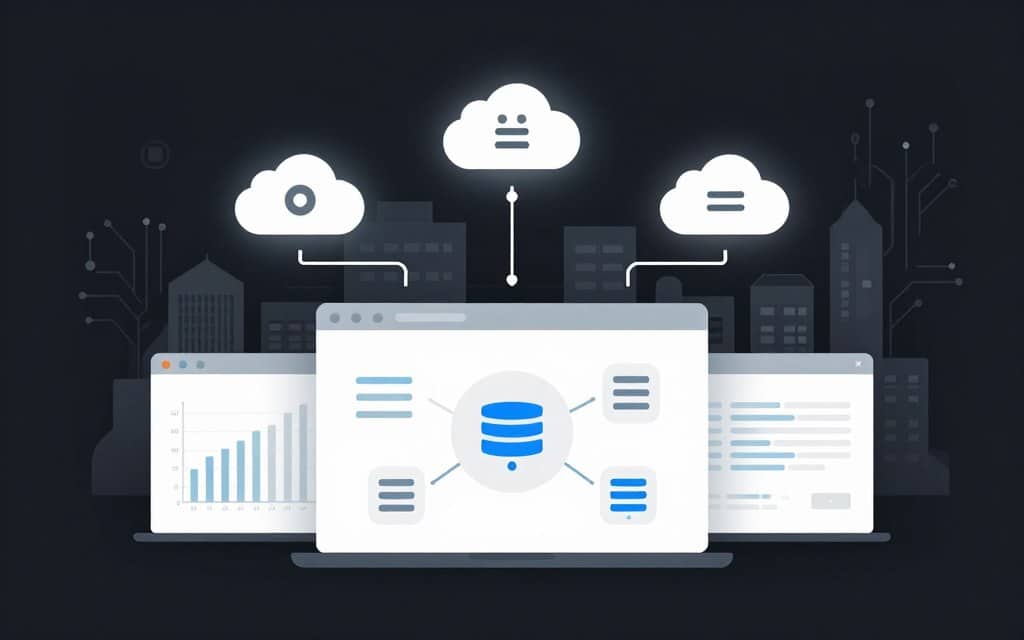
Unified Access and Real-Time Monitoring Platforms
Unified access control eliminates credential sprawl across your cloud databases. It centralizes authentication, giving developers streamlined access while boosting security. Your teams can use just-in-time provisioning for temporary, role-based permissions.
Real-time monitoring spots performance decay as it happens. Advanced platforms offer AI-powered tuning capabilities that suggest optimizations. For a deep dive, explore the best real-time database monitoring tools for your.
Comprehensive audit logging captures every query without slowing things down. Version control for schema changes brings dev discipline to database management. This tracks all modifications and simplifies rollbacks.
These integrated tools transform your operational posture. They empower teams to focus on innovation, not firefighting. You gain control and reduce risk across your entire data environment.
Closing Insights for Informed Database Decisions
Your final choice in data infrastructure hinges on aligning powerful tools with your organization’s real-world constraints. It’s not about the “best” platform, but the right fit for your workload, budget, and team skills.
Start by documenting your actual needs—transaction volume, latency targets, and compliance rules. Proof-of-concept testing reveals true performance and hidden costs that specs sheets hide.
The landscape keeps evolving with new capabilities like vector search and serverless pricing. Modern solutions deliver real benefits: elastic scaling, less operational work, and geographic flexibility.
No single option excels at everything. Balance technical capabilities against your business reality. The right database empowers your team to focus on innovation, not infrastructure.