

Did you know over 80% of hacking-related breaches leverage stolen or weak passwords? If your system relies solely on a single password, you’re essentially leaving the front door unlocked.
That single point of failure is a massive risk. Modern threats demand stronger gates. You need a system that adds essential layers of defense to truly verify user identity before granting access.
This approach, often called MFA, combines something you know (like a password) with something you have (like a phone app) or something you are (like a fingerprint). It’s the upgrade your database security basics desperately needs.
Implementing this isn’t just about adding hurdles. It’s about intelligent access management that protects critical information without slowing down your team. Let’s explore how the right methods and tools can seal those gaps for good.
Demystifying MFA: Layers of Security Explained
A password alone is like a guard who only asks for a name—anyone can claim it and walk right in. This single-factor approach leaves your system exposed. You desperately need independent checkpoints to truly verify who’s requesting access.
Understanding the Role of Each Factor
Modern MFA builds defense in depth. It combines what you know (a password), what you have (a phone or token), and what you are (a fingerprint).
Each factor acts as a separate, strong security layer. Attackers must breach all of them to gain access. This method creates a robust barrier around your sensitive data.
Why Single-Factor Protection Falls Short
Relying solely on a password is a major risk. Phishing scams and brute-force attacks easily bypass this weak point.
These cyber threats exploit that single point of failure. Adding multiple verification factors stops unauthorized access cold. It’s the essential upgrade your user identity management needs.
Key Authentication Methods: From Passwords to Biometrics
Username and password pairs have been the standard for decades, but they’re now a major security liability. You need more robust ways to verify user identity.
Modern methods move beyond simple secrets. They create a strong security framework that’s harder to breach.
Limitations of Traditional Username and Password
That classic combo is often the weakest link. Phishing and brute-force attacks easily compromise it.
This single factor provides a poor verification experience. It fails to reliably verify user credentials.
You can’t rely on it to protect sensitive data. It’s a flawed gateway for access.
The Rise of Biometric and Token-Based Verification
Newer methods use what you are or have. When users authenticate with facial recognition, they offer a unique biological key.
One-time passwords from an app provide a possession factor. These dynamic codes help verify identity for a single session.
Advanced cryptographic tokens draw from groundbreaking physics. In 1993, Charles Bennett proved quantum teleportation possible.
Anton Zeilinger later teleported photons across 144 km. This science now underpins ultra-secure token development.
Combining these factors builds essential layers security. It ensures only authorized personnel gain access.
| Authentication Method | Factor Type | Key Benefit |
|---|---|---|
| Username & Password | Knowledge | Familiar, but weak |
| One-Time Passcode (OTP) | Possession | Dynamic, time-sensitive |
| Fingerprint / Facial Scan | Inherence | Unique, hard to steal |
| Hardware Security Key | Possession | Physical, phishing-resistant |
This table shows how different methods contribute to a stronger security posture. Your user identity protection improves with each added layer.
multi-factor authentication for databases
Your database holds the crown jewels of your business—financial records, client details, proprietary information. Protecting this asset requires more than a simple lock.
You need a robust, centralized management platform. This system should handle diverse verification methods without slowing your team down.
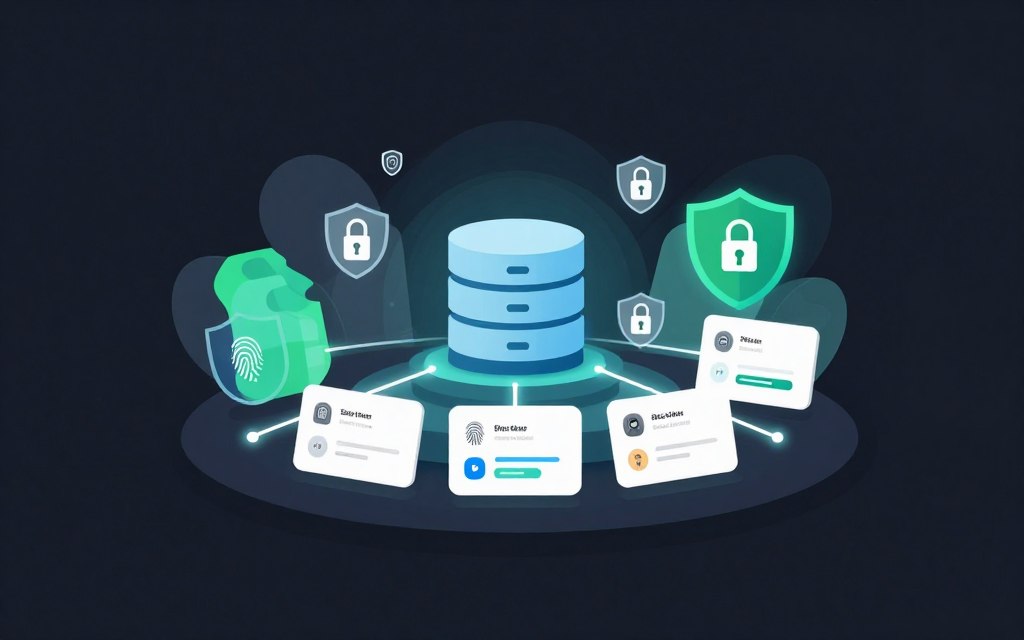
An integrated MFA solution ensures every access request is checked against multiple security layers. It consistently verifies user identity before granting entry.
This approach drastically cuts breach risks from stolen credentials. You can deploy it across cloud, on-premises, or hybrid environments with minimal overhead.
| Consideration | What It Means | Why It Matters |
|---|---|---|
| Centralized Control | A single dashboard to manage all user access policies. | Simplifies administration and ensures uniform security enforcement. |
| Method Flexibility | Support for app codes, hardware tokens, and biometrics. | Adapts to different user needs and threat levels. |
| Strict Policy Engine | Rules that demand specific verification factors for sensitive data. | Adds intelligent, risk-based layers of defense. |
| Seamless Integration | Easy connection with your existing IT infrastructure. | Reduces deployment friction and accelerates protection. |
Choosing the right platform is crucial. The best solutions offer flexible integration to fit your current setup.
Organizations that prioritize this level of security don’t just block attacks. They maintain compliance and safeguard their hard-earned reputation.
Adaptive MFA Techniques: Balancing Risk and Usability
Imagine a login process that’s frictionless for routine tasks but instantly tightens when it senses danger. That’s the promise of adaptive techniques. They intelligently balance robust protection with team productivity.
You don’t need the same high-friction checks for every action. Adaptive systems analyze context in real-time to apply the right level of scrutiny.
Dynamic Responses to Security Threats
Your platform should assess risk as it happens. It looks at IP addresses, device locations, and login times.
If a login attempt comes from an unrecognized country, the system can demand extra verification factors. This dynamic response stops threats without hindering trusted users.
You configure rules to escalate security automatically. Multiple failed attempts or unusual file access can trigger stricter checks.
Tailoring MFA to User Behavior
These methods create a profile of normal activity for each person. Checking a daily report might only need a username and password.
Attempting to export a full customer list would instantly require a second factor. This tailoring significantly improves the daily user experience.
Your team stays productive. They only face extra steps when the system detects a genuine anomaly.
| Risk Scenario | System Response | User Experience Impact |
|---|---|---|
| Low-Risk Internal Access | Proceeds with primary credential only. | Frictionless, fast workflow. |
| Login from Unrecognized Location | Requires a one-time code from a registered app. | Brief extra step ensures security. |
| Sensitive Data Query Initiated | Prompts for biometric verification. | Contextual interruption for high-value actions. |
| Multiple Failed Access Attempts | Locks account and alerts administrators. | Protects identity and data from brute-force attacks. |
This table shows how adaptive MFA works. It provides a flexible security layer that evolves with threats. The goal is to verify identity seamlessly while keeping your data safe.
Comparing Authentication Factors: Knowledge, Possession, and Inherence
Think of your data security as a vault—each factor is a separate lock that must be opened to gain entry. You can’t rely on a single key to protect your most valuable digital assets.
Effective protection requires a blend of different verification elements working in concert. Combining them creates the strong security posture your information demands.
How Each Factor Protects Sensitive Data
Knowledge factors, like passwords, are common. But you must combine them with other methods for a truly resilient system.
They represent something you know. Alone, they’re a weak point. Paired with other authentication factors, they form a crucial first layer.
Possession factors provide a physical hurdle. A hardware token or mobile app generates a one-time code.
This proves you have a specific device. It’s difficult for remote attackers to compromise this verification step. It directly safeguards access.
Inherence factors use your unique biology. Fingerprint scans or facial recognition check “something you are.”
These traits are extremely hard to steal or replicate. They offer a sophisticated way to verify identity for high-risk actions.
By layering these categories, you build a defense-in-depth strategy. If one factor fails, others stand guard.
You should evaluate each based on reliability and user experience. The right mix creates a resilient shield for your organization’s critical data.
Integrating MFA with Existing Security Infrastructure
Seamless connection between your new MFA platform and legacy systems is the key to rapid, disruption-free deployment. You shouldn’t have to rebuild your entire IT ecosystem to add this critical protection layer.
Modern solutions offer pre-built connectors. These let you deploy robust verification methods across your enterprise with minimal coding effort.
Centralize your identity management through a unified platform. This ensures all users follow the same strict policies, no matter their location.
Leverage existing directory services to manage access. You can then enforce MFA requirements for every critical application. Always test the integration thoroughly. Make sure each component in your security stack communicates flawlessly during login.
| Integration Component | Primary Function | Key Benefit |
|---|---|---|
| Pre-built Connectors | Links the MFA system to common directories and apps. | Dramatically speeds up deployment and reduces custom code. |
| Central Policy Engine | Applies consistent security rules across all user access points. | Eliminates policy gaps and simplifies administration. |
| API Gateway | Allows secure communication between new and old systems. | Ensures reliable data flow and real-time threat response. |
| Unified Dashboard | Provides a single view of all authentication events and user status. | Gives IT staff clear visibility and control, reducing their burden. |
A cohesive approach makes every part of your system work together. It verifies identity and blocks threats effectively. A well-integrated solution provides the peace of mind you need to focus on core goals.
Enhanced User Experience Through Simplified MFA Solutions
What if your strongest security measures were also the easiest for your team to use? A robust defense is useless if people avoid it. You desperately need solutions that your staff will embrace, not bypass.
Modern platforms focus on reducing login friction. This directly improves adoption and strengthens your overall security posture.
Smooth Transitions and Passwordless Options
You can guide users through the verification process seamlessly. Look for systems that offer intuitive, passwordless entry methods.
These allow your team to gain access using a mobile app push notification. A single tap verifies their identity. This method is faster and more secure than typing complex passwords.
Consistent interfaces across all devices ensure a smooth experience. Your people get the same simple steps on a laptop, phone, or tablet.
This thoughtful design encourages daily use. It turns a security chore into a quick, integrated part of the workflow. You protect critical information without slowing your team down.
Evaluating Top MFA Solutions and Providers
Evaluating top-tier MFA providers requires looking beyond features. You must consider real-world security incidents, integration depth, and total cost of ownership.
The right choice directly impacts your team’s daily workflow and your company’s defense. You need a platform that fits your unique environment.
Highlights of Leading Authentication Platforms
Okta Adaptive MFA offers a massive library of over 8,000 pre-built integrations. This helps you verify user access across your entire application stack seamlessly.
Rippling provides a unified platform. It blends strong security directly into HR and IT management, supporting over 650 different connections.
For developers, Auth0 is a popular pick. Its free tier supports up to 25,000 monthly active users, making it easy to start building.
Vendor-Specific Strengths and Integration Capabilities
You should prioritize vendors with transparent security histories. The 2022 LastPass breach is a stark reminder that even popular tools can fail.
Compare how each solution protects your sensitive data. The best platforms offer advanced features that make it easier to manage your security layers.
By selecting a provider with deep integration strengths, you build a robust defense. Your organization gains a system that balances powerful verification with a positive user experience.
Cost Considerations and Implementation Best Practices
Deploying robust security isn’t just about technology—it’s a strategic investment that demands careful financial planning. You need to balance upfront costs with long-term protection. A smart approach prevents budget overruns and ensures your team adopts the new system smoothly.
Budgeting for Advanced Security
Your budget must cover several key areas. You’ll need funds for physical tokens and software licenses. These purchases establish a strong security foundation.
Creating a clear deployment roadmap helps manage expenses. It ensures every user gets proper onboarding without surprise costs. This planning phase is crucial for controlling your total investment.
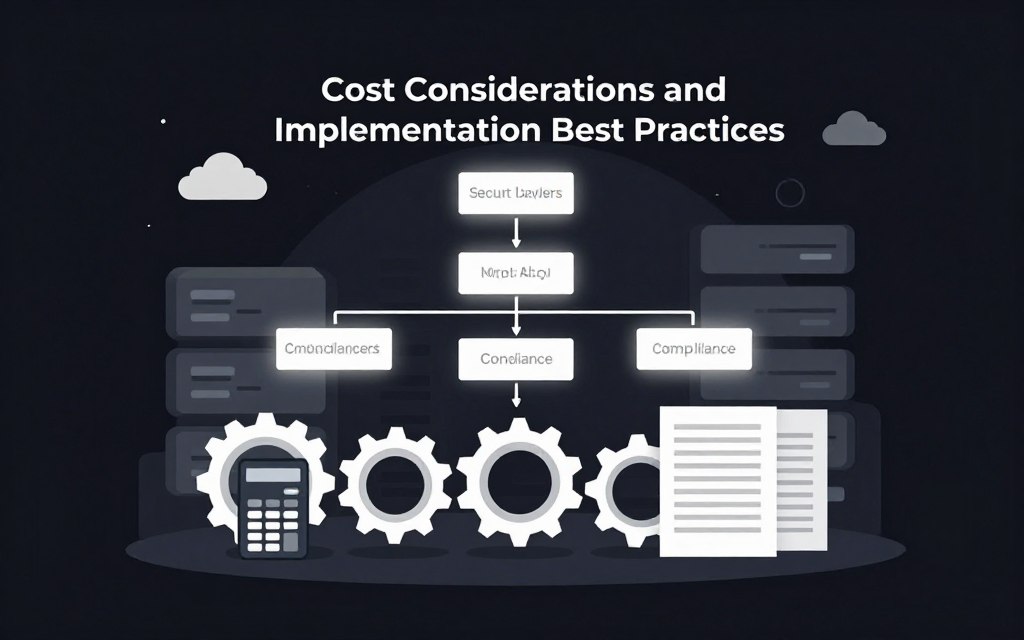
Choosing a platform with excellent support minimizes implementation challenges. Good documentation reduces your IT team’s burden. You’ll save time and resources during rollout.
| Cost Factor | Description | Impact on Security Posture |
|---|---|---|
| Hardware Tokens | Physical devices that generate one-time codes. | Provides a strong possession factor, preventing unauthorized access. |
| Software Licenses | Subscription fees for the central management platform. | Enables consistent policy enforcement and system-wide integration. |
| Training Programs | Sessions teaching users to identify cyber threats. | Reduces human error, a major layer of defense. |
| Compliance Audits | Regular checks against industry standards like HIPAA or GDPR. | Ensures ongoing adherence and justifies the security investment. |
Ensuring Compliance and User Training
Regular training sessions are non-negotiable. They help your staff spot phishing attempts and other digital risks. An informed user is your first line of defense.
Organizations that prioritize compliance find it easier to justify security spending. Following standards demonstrates your commitment to protecting sensitive information.
Protecting your data is an ongoing process. It requires consistent management and a commitment to high standards. By following these best practices, your verification methods stay effective against evolving threats.
Final Thoughts on Securing Access and Protecting Data
The ultimate goal is to create a security environment that is both impenetrable and intuitive for your team. You’ve seen how multi-factor authentication forms the core of a modern defense strategy.
Combining various authentication methods builds a resilient shield. This layered approach protects your sensitive data from unauthorized entry more effectively than any single password ever could.
Focus on the user experience to ensure your staff embraces these measures. Smooth verification processes lead to better adoption and stronger daily security habits.
Effective identity management is the foundation of a safe digital space for everyone. Start implementing these layers of defense today to stay ahead of threats.
Commit to these best practices and continuously evolve your strategy. You’ll build a safer future for your organization’s critical information.