

Every minute your database goes dark costs real money—$474,000 per hour on average, according to a ManageForce study. That staggering number isn’t just a statistic; it’s the immediate threat facing your business when availability slips away.
With data volumes exploding toward 180 zeta-bytes by 2025, your database has become the central nervous system of your entire operation. It’s no longer just storing information—it’s keeping your business alive and responsive.
Most catastrophic outages don’t happen by accident. They occur because the underlying architecture wasn’t built to withstand pressure from day one. The good news? You can change that starting now.
This guide cuts through the complexity to show you exactly how to build resilient systems that keep running when others fail. We’ll walk through proven strategies for redundancy, failover mechanisms, and architectures that protect both your data and your bottom line.
Whether you’re running MySQL, PostgreSQL, Oracle, or another platform, you’ll discover actionable insights you can implement immediately. By the end, you’ll know how to create database environments where downtime simply isn’t an option anymore.
Understanding High Availability and Its Impact
Let’s cut through the jargon. What does it actually mean when a provider promises 99.95% availability or 99.999999999% durability? Getting this right is the foundation of any resilient system.
You need to understand these concepts separately. Mistaking one for the other can lead to serious gaps in your architecture.
Availability versus Durability: Key Differences
Availability is all about access. It measures how much time your service is operational and reachable by users. Think of it as the opposite of downtime.
Durability, however, is about preservation. It measures the system’s ability to protect your data from loss, even during a hardware failure.
Here’s the critical distinction. Your database might be completely down—an availability issue—but you still expect every byte of data to be perfectly intact when it comes back online. That’s durability at work.
| Feature | Availability | Durability |
|---|---|---|
| Primary Concern | Service uptime and user access | Data preservation and prevention of loss |
| Common Metric | 99.95% monthly (≈22 minutes downtime) | 99.999999999% yearly (11 nines) |
| Failure Impact | Users cannot access the system temporarily | Data is permanently lost or corrupted |
Measuring Uptime and Managing Downtime
Those percentages aren’t just marketing fluff. They translate directly into minutes of potential disruption. A 99.95% monthly availability sounds impressive, but it allows for about 22 minutes of downtime.
Can your business afford those 22 minutes? The math matters because every percentage point represents real revenue loss or user frustration.
Durability targets are even more extreme. A yearly durability of 99.999999999% (eleven nines) means you might lose just one object per 100 billion stored. That’s the gold standard for data preservation.
Understanding these metrics lets you set realistic targets. It also helps you communicate clear requirements to stakeholders who need to know what they’re paying for.
Key Elements of Reliable Database Design
What separates databases that survive real-world pressure from those that collapse under it? The answer lies in two core concepts. Getting these right from the start determines your system’s resilience.
Redundancy and Isolation Fundamentals
Redundancy means having backup components ready to take over. Isolation ensures those backups operate independently. Together, they create layers of protection.
You cannot just duplicate everything and call it done. Those duplicates need proper separation. This prevents a single failure from taking down your entire system.
Think of redundancy as your insurance policy. Isolation ensures the policy isn’t stored in the same building that might burn down. When you place redundant components on independent hosts, you create protection layers.
A cluster represents the entire ecosystem of components working together. This includes all redundant elements in your deployment. These components ensure continuous operation when problems occur.
These principles aren’t optional nice-to-haves. They form the foundation that determines whether your system survives failures. Getting them right early saves expensive retrofitting later.
Proper implementation of these high availability databases ensuring uptime strategies protects your business continuity. The right design choices make downtime virtually impossible.
Fundamentals of Database Instance Redundancy
The moment your database instance goes down, your business stops—but the right redundancy strategy prevents this catastrophe. You’re protecting the compute engine that processes queries and handles client connections.
Think of your database deployment as two critical components. The instance processes requests while the storage holds your actual data. Instance-level clustering ensures multiple compute engines stand ready.
Active/Active vs. Active/Passive Architectures
Active/Active architecture runs multiple instances simultaneously. All servers process client requests in parallel, distributing the workload evenly across your system.
This approach gives you both redundancy and load balancing. If one instance fails, traffic automatically routes to the remaining healthy servers. Oracle RAC exemplifies this method perfectly.
Active/Passive keeps standby instances ready but inactive. Only one primary instance handles requests until a failover occurs. Then a standby takes over seamlessly.
Microsoft SQL Server’s FCI uses this approach. It’s simpler to manage but leaves resources idle until needed. Your architecture choice depends on performance needs versus operational simplicity.
Neither solution works universally better. Match your choice to specific traffic patterns and business requirements. The right architecture keeps your system running through any instance failure.
Essential Failover Strategies for Resilient Systems
When a server fails, your failover strategy is the only thing standing between a minor blip and a major outage. This process seamlessly transfers service from a faulty component to a healthy one. Getting it right is non-negotiable for true resilience.
Automated vs. Manual Failover Approaches
Manual failover relies on human intervention. Someone must notice the problem, diagnose it, and trigger the switch. This process often takes precious minutes—or even hours—that you simply can’t afford.
Automated failover is your best defense against extended downtime. A dedicated monitoring component constantly checks the health of your primary server and its replicas. It makes the switch in seconds, often before users notice anything is wrong.
Automated systems react faster than any human ever could. This speed is the critical difference between a brief hiccup and a full-blown business interruption. You should always prioritize automation for mission-critical systems.
Tools like Orchestrator for MySQL, Patroni for PostgreSQL, and Oracle Data Guard are essential. They aren’t optional luxuries but core components of a serious strategy. Just installing them isn’t enough, though.
You must test failover scenarios repeatedly. Ensure the behavior matches your expectations every single time. The best failover is the one your users never know happened.
Incorporating Replication Techniques to Secure Data
What happens when your primary database suddenly goes offline? Replication ensures your business continues uninterrupted. This technique creates identical copies of your data across multiple systems.
You have two main approaches for replication. Storage-based replication works at the filesystem level. It pushes every change synchronously before acknowledging writes.
Database solution-based replication operates at the application layer. This gives you more flexibility in how changes propagate. Technologies like MongoDB ReplicaSet and SQL Server AlwaysOn use this method.
Logical replication copies the actual SQL statements or operations. It replays them on replicas but can drift if systems handle data differently. Physical replication copies raw data changes themselves.
Physical replication ensures replicas are byte-for-byte identical to the primary. This approach provides the gold standard for consistency across your infrastructure.
| Replication Type | Operation Level | Consistency | Performance Impact |
|---|---|---|---|
| Storage-Based | Filesystem/Storage | Synchronous | Higher latency |
| Database-Based | Application/Database | Flexible sync modes | Configurable impact |
| Logical | SQL/Operation level | Potential drift | Lower overhead |
| Physical | Data change level | Byte-for-byte identical | Higher consistency cost |
Your primary database handles all write traffic. Replicas stand ready to take over or serve read queries. This distribution protects your data and maintains access during failures.
Choose your replication protocol based on consistency requirements versus performance needs. Each approach offers different trade-offs for securing your critical information.
Implementing Isolation Mechanisms for Maximum Uptime
When disaster strikes, isolation determines whether your business survives or collapses entirely. It’s your strategic defense against the domino effect where one failure takes down everything.
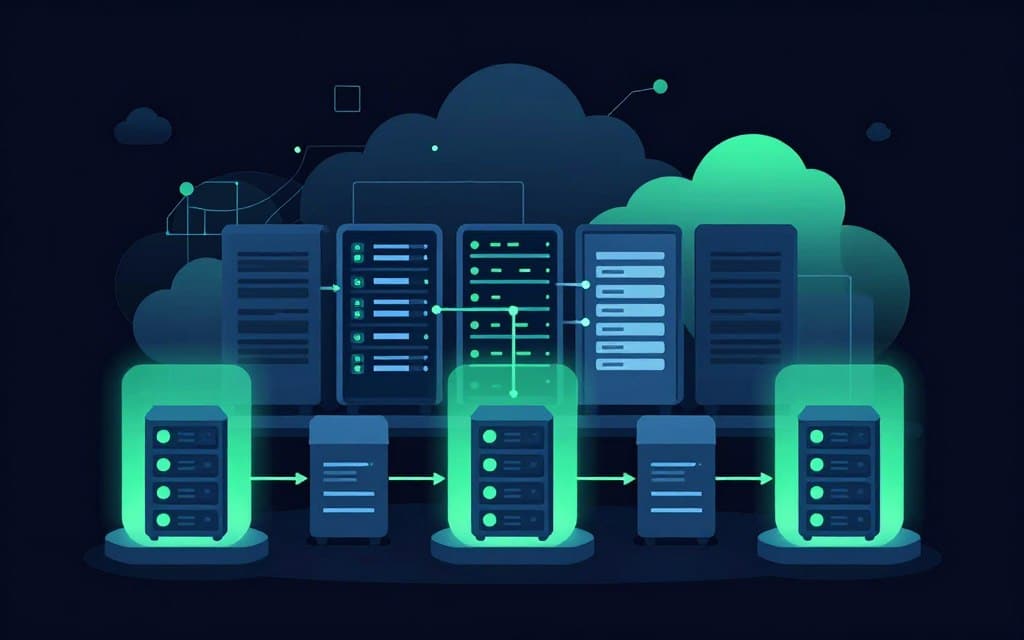
Start with server-level isolation. Place redundant components on different physical servers. This prevents a single network card or CPU failure from killing your entire system.
Move up to rack-level protection. Components in the same rack share switches and power cables. Different racks create essential separation in your infrastructure.
Data center isolation protects against facility-wide disasters. Power outages or cooling failures won’t touch your redundant systems in separate locations.
Availability zones provide geographic separation within a region. A fire or flood in one zone leaves components in another zone completely unaffected.
Multi-region deployment is your ultimate insurance. Storms, natural disasters, or political instability can’t take down infrastructure spread across continents.
The more layers you implement, the smaller the blast radius when something goes wrong. Trust me—something always goes wrong eventually.
Effective Use of Clustering Patterns in Database Deployments
Your clustering strategy determines whether your system bends or breaks under pressure. This architectural approach ties together all your redundant components into a cohesive unit.
Think of it as the intelligent framework that coordinates your backup systems. The right pattern creates resilience that individual components alone cannot achieve.
Instance-Level Clustering Methods
Instance-level clustering protects your compute resources by deploying multiple database instances. These instances typically access shared storage on remote hosts.
This approach gives you parallel processing capabilities. If one instance fails, others immediately pick up the workload without data loss.
Load balancing distributes traffic across all active instances. This maximizes performance while maintaining seamless failover capabilities when needed.
Database-Level Replication Strategies
Database-level clustering goes further by replicating both compute and storage layers. This protects you even if the primary storage becomes inaccessible.
Shared-nothing architectures represent the ultimate isolation. Each server operates independently with dedicated memory, compute, and storage resources.
Failures cannot cascade through shared components in this setup. Your choice depends on complexity tolerance versus protection level requirements.
Modern cloud platforms simplify these deployments. However, understanding the fundamentals remains essential for building truly resilient systems.
designing databases for high availability
Your blueprint for resilience begins with a ruthless inventory of weaknesses. You can’t fix what you don’t see. Start by mapping every single point of failure in your current setup.
Ask yourself tough questions. What happens if a server dies? Is your network a weak link? This honest assessment is your first step toward robust systems.
The goal isn’t maximum redundancy—it’s the right redundancy. Your specific business needs dictate the architecture. A 99.9% target allows for more downtime than a 99.99% one.
That difference translates directly into cost and complexity. You must match your design to your actual requirements.
True resilience isn’t an accident. It results from deliberate choices made early. Don’t wait for a crisis to bolt on solutions.
Learn from those who’ve faced outages. Their hard-won lessons form the core of proven high availability databases ensuring uptime best practices. Build with failure as the default assumption, not the exception.
Applying Redundancy and Network Strategies to Minimize Outages
Your most effective defense against downtime combines robust hardware with intelligent network design. These layers work together to create a system that withstands component failure.
They ensure your service remains available even when individual parts break. This approach directly minimizes costly outages.
Optimizing Hardware and Network Redundancy
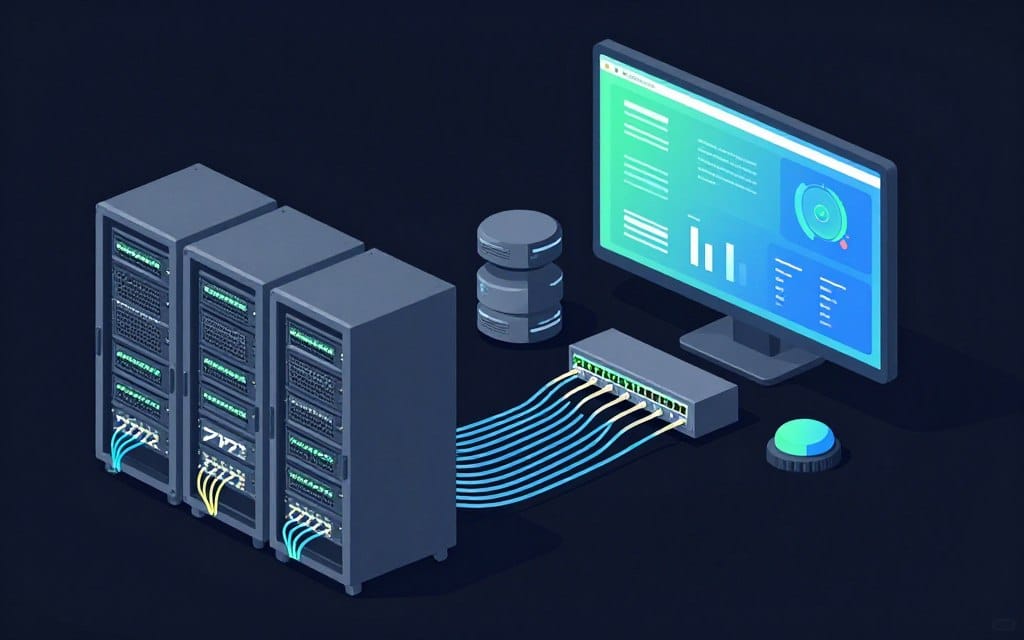
Hardware redundancy means having backup servers ready to take over instantly. A failed power supply or dying hard drive should not halt your operations.
You cannot assume a single server is enough for critical systems. Redundant components provide the immediate failover capability you need.
Network redundancy is equally critical for maintaining connectivity. Duplicate paths and devices ensure traffic flows even if a router fails.
Think of it as building multiple roads to the same destination. If one route is blocked, traffic reroutes automatically without disruption.
Load distribution across these components offers a significant bonus. You not only protect against failure but also handle higher traffic volumes.
Prioritize which components to duplicate based on their failure probability and impact. This strategic approach ensures your investment effectively minimizes risk.
Leveraging Cloud and Data Center Configurations for Disaster Recovery
Cloud technology has fundamentally changed how we approach disaster recovery—making enterprise-grade protection accessible to everyone. Your recovery strategy determines whether you bounce back quickly or not at all.
Start with backup and restore as your baseline. Regularly copy data to remote storage like Amazon S3. This lets you rebuild when everything fails, though recovery takes time.
The pilot light approach keeps minimal core services running in a secondary region. It scales up instantly when disaster strikes your primary infrastructure.
Warm standby runs a scaled-down version continuously. When disaster hits, you simply scale up rather than building from scratch.
Multi-site hot standby represents the gold standard. A full duplicate system runs in a different geographic region. It handles traffic instantly with minimal downtime.
AWS services provide battle-tested building blocks. RDS Multi-AZ offers automatic failover between availability zones. S3 handles backups while CloudFront enables global distribution.
The cloud makes these configurations accessible. But you must design your applications to leverage them properly. The infrastructure is only half the solution.
Your deployment strategy should match your recovery objectives. Choose the approach that balances cost against your tolerance for downtime.
Wrapping Up High Availability Strategies for Future-Proof Systems
Your journey toward uninterrupted service begins with acknowledging that hardware and software will eventually break. The blueprint you now possess transforms knowledge into actionable defense against downtime.
Implementation separates successful systems from theoretical diagrams. Regular testing and maintenance ensure your architecture withstands real-world pressure when components fail.
Modern tools like Canonical’s Juju automate complex failover and replication tasks. This open source platform manages relations between applications and healthy database instances, reducing manual oversight.
Choose your availability level based on actual business requirements, not perfectionism. The best practices covered here create systems that serve users reliably through any failure scenario.